Hatchway Age Gate · Guide
Understand age-gate analytics on Shopify
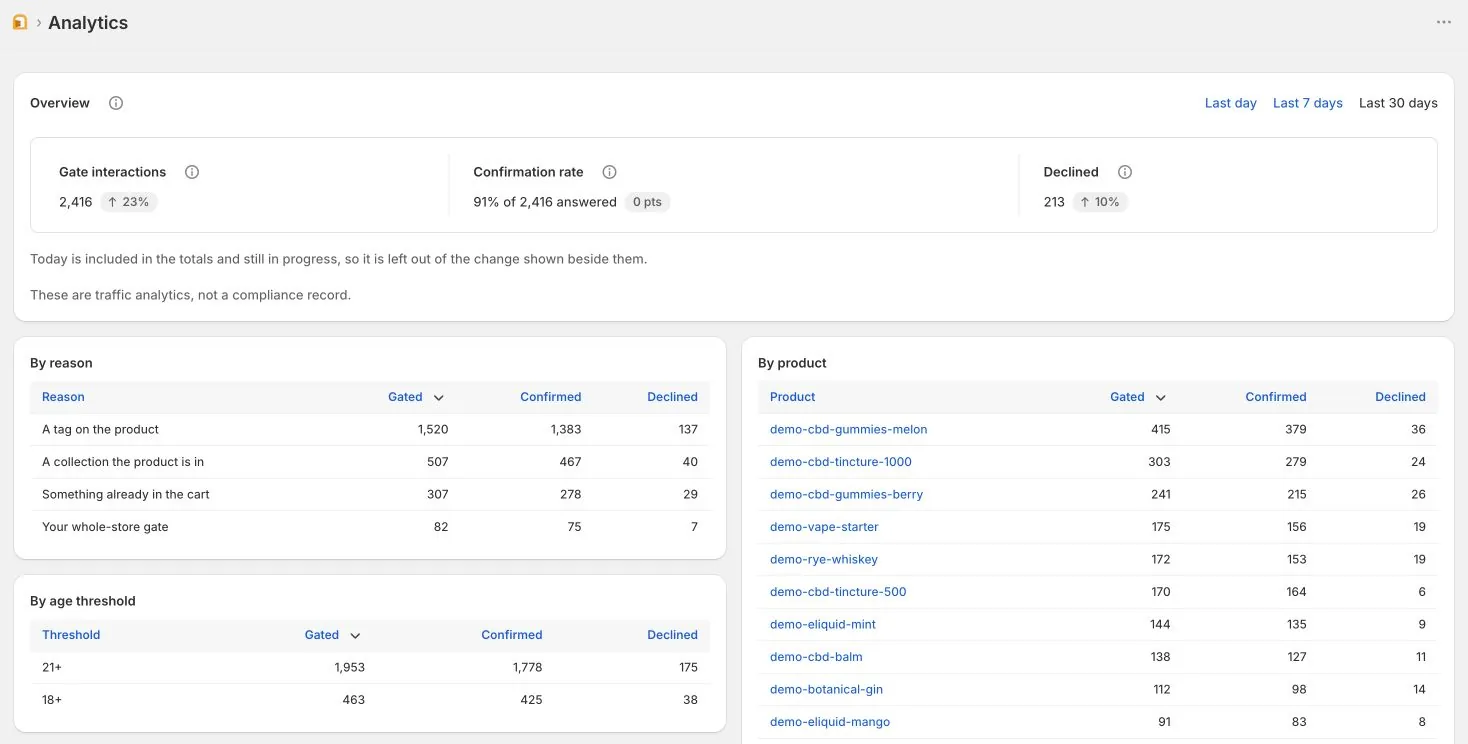
Hatchway Growth shows recorded confirmations and declines by product, age threshold, reason, and locale. Pro includes the same analytics.
Read the numbers before acting
- Confirmations: recorded successful age-check interactions. These are not verified identities, unique shoppers, or completed orders.
- Declines: recorded declines. Someone who closes the page without answering is not counted as a decline.
- Confirmation rate: confirmations as a share of recorded answers. Follow the dashboard’s data-quality notices when interpreting this figure.
The dashboard does not measure every gate impression, total abandonment, or sales conversion. It withholds a rate when the available data cannot support it.
Find the context behind an answer
Use the product view to see recorded interactions associated with a product. Use age thresholds and locale to compare the contexts shown in your data.
The reason view groups gate triggers such as a tag, a collection, a cart, or a whole-store gate. It does not group by individual merchant tag names.
Locale describes the language context received by the app. It is not the shopper’s country, identity, or applicable legal jurisdiction.
Make a weekly check
- Open Analytics and select the period you want to inspect.
- Read any data-quality notices before comparing counts or rates.
- Inspect the product and reason views for unexpected gate activity.
- Check your targeting rules if an unrestricted product appears where you do not expect it.
- Use a comparable period for follow-up. Record what changed without attributing sales effects to these metrics.
A product with many declines is a reason to inspect its context. It is not evidence that you should lower an age threshold.
Choose analytics or individual records
Growth provides the dashboard. Pro adds reference lookup and CSV records, plus Online Store checkout enforcement.
Compare Growth and Pro. Both are self-declaration products and do not verify identity.